My wife Sasika runs SewingSpot, a home-based sewing studio. She works hard on the sewing itself, but a lot of her time was going into admin: reconciling money, trying to remember what was paid, and piecing together the year at tax time from her cashbook and bank statements.
She did not have an easy picture of money in and money out.
Apps that were too big
She tried a couple of off-the-shelf tools. They were built for bigger businesses, more screens, more setup, more than she needed. She is not especially tech-savvy, and her real workflow stayed in notebooks on the table.
Watching how she actually works
I watched her day to day: jotting cash in and out, writing measurements for several people on one page, losing track of which job was where. So I built something small, only for the steps she already takes, nothing extra.
Before: the notebooks
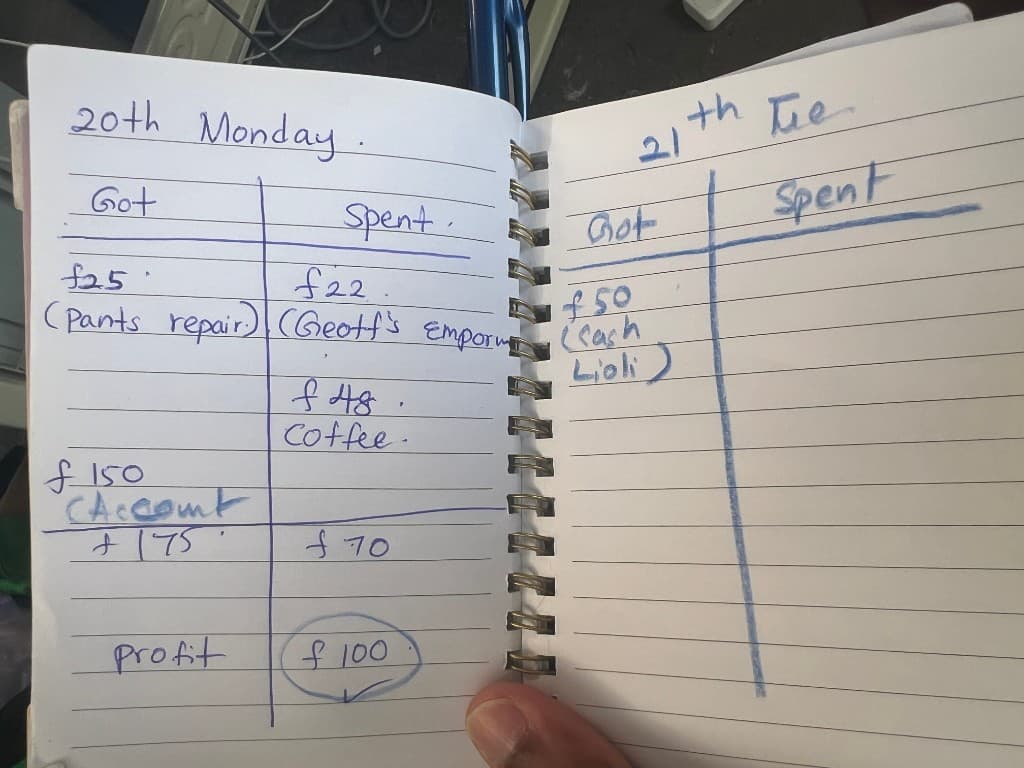
Money went into a simple Got / Spent book, with a profit line at the bottom of each day.
Measurements for different clients often shared one page in another book.
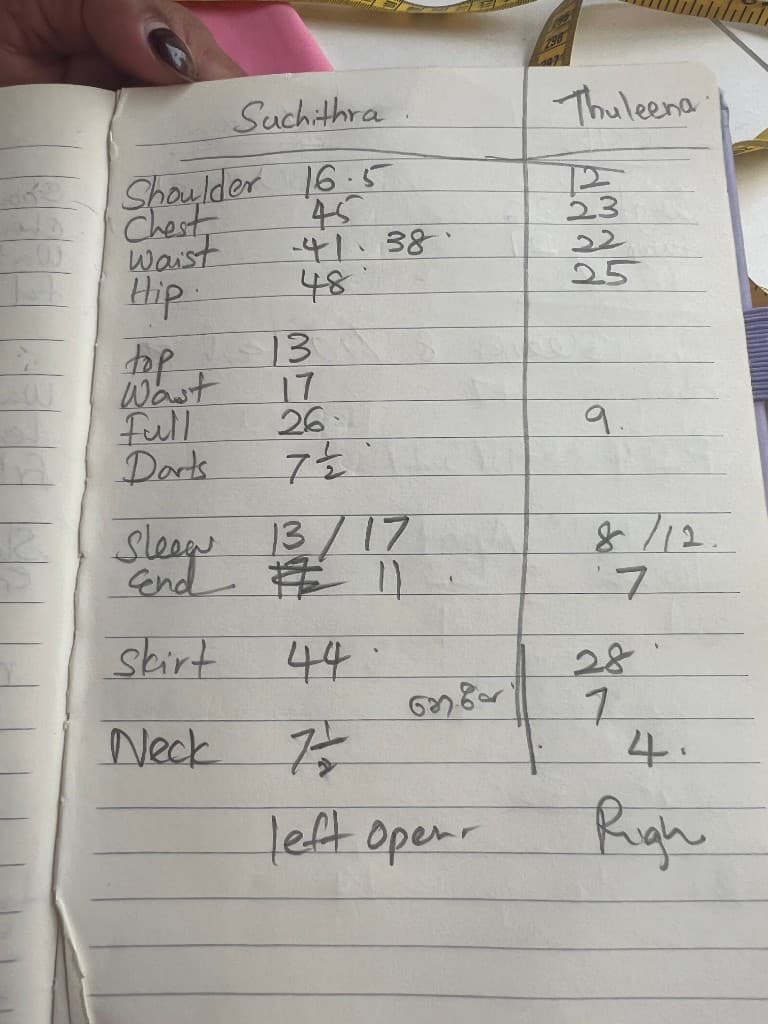
It worked, until she needed totals across weeks, or answers while a client was on the phone, or everything in one place for the financial year.
One job card for everything
Now she opens a job card as soon as an order comes in.
On that card she can:
- record measurements for many people under one job (for example, a family order)
- add invoice lines as she goes, they build into invoices later, without a separate step at the end
- log payments on the job itself, so she always knows how much has come in for that piece of work
- keep notes when someone calls
Everything for one order stays together.
Money at a glance
The dashboard shows what matters in plain numbers: how much she has collected and how much is still outstanding.
She can switch between this month, this quarter, this financial year (Apr-Mar), or any custom date range, so "how much came in today?" is a quick answer, not a hunt through pages.
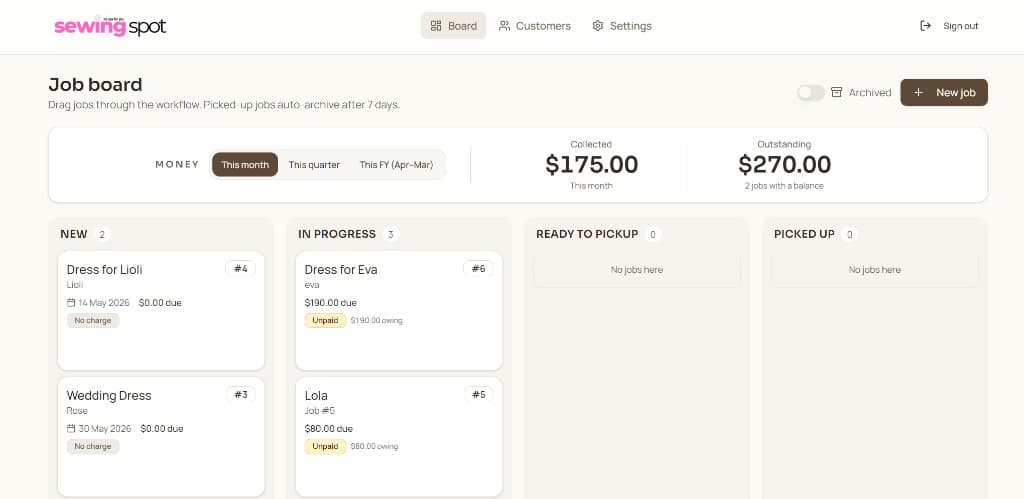
The job board
Jobs move on a simple kanban board:
New → In progress → Ready to pickup → Picked up
She drags cards between columns. An Archived view keeps older jobs without cluttering the board.
UX that stopped lost work
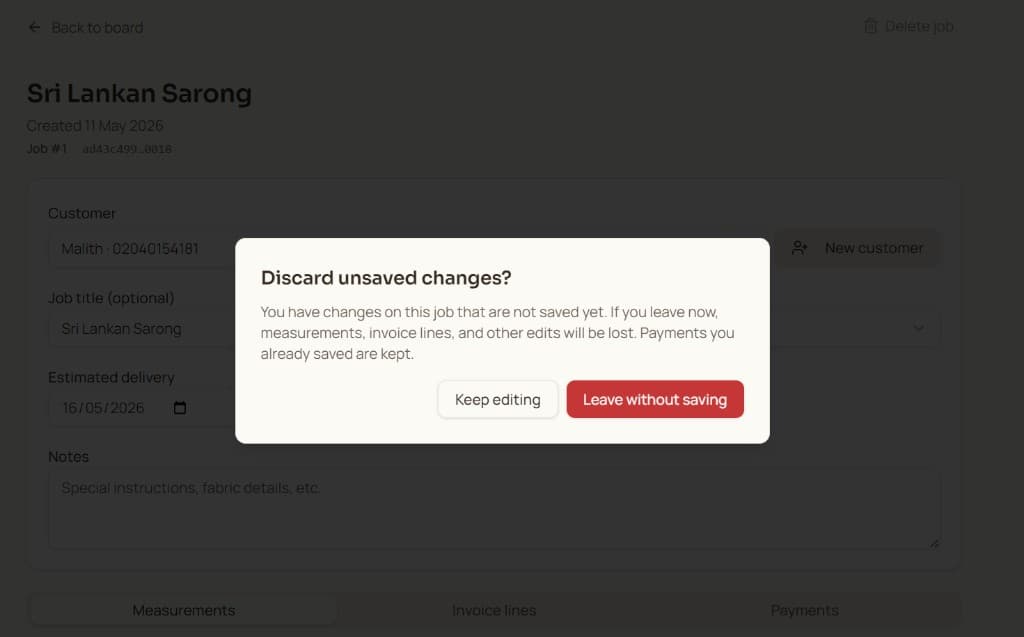
She would sometimes fill in measurements, click into another job, and leave the page without saving. The save control was easy to miss.
Two small changes fixed that:
- a floating save bar at the bottom, always visible while she edits
- a clear warning if she tries to leave with unsaved changes
A quick walkthrough of the job board and a job card:
Quiet automation
When a job moves to Ready to pickup, the system sends an SMS or WhatsApp to the client with the remaining balance and bank details to pay.
Jobs in Picked up archive automatically after seven days, but she can open archived cards anytime.
What we used
I took this from requirements through to delivery, sitting with her to understand the workflow, sketching how each screen should work, and building something she could use every day. That included UI/UX as well as the code.
Under the hood:
- React frontend
- Supabase for the database
- .NET Core API
What changed for her
Her mornings are clearer: what is new, what is in progress, what is waiting for pickup. When a client calls, she has the job, the measurements, and the money in one place.
Less admin. More time to take on work and find new clients.
This is the same idea as turning scattered records into one simple system that updates as you work. See Turn your spreadsheets into simple systems that update automatically for the broader pattern.
It was a family project for Sasika's studio, not a product launch, just something that gave her time back for the sewing she loves.